RAZ Vape Charger Guide
Every rechargeable RAZ charges through a USB-C port with any standard USB-C cable and a normal 5V wall block. No RAZ device includes a charger in the box. The TN9000, LTX 25K, RYL 35K and RX 50K charge directly; on the VUE 50K only the base is plugged in; the pod's small 420 mAh cell is charged through it.




RAZ Vape Charger Type by Model
The question we get most often at support is some version of "what RAZ vape charger type do I need?" The answer is the same for every current model: USB-C. There is no proprietary plug, no micro-USB on any device we sell, and no charging cradle. If you have a phone cable made in the last several years, you already own a RAZ charger. The only thing that changes from model to model is how long the cell takes to fill.
| Device | Port | Battery | Charge time from low | Charger in box |
|---|---|---|---|---|
| RAZ TN9000 | USB-C on the device | 650 mAh | Under an hour | None |
| RAZ LTX 25K / DC25000 | USB-C on the device | 800 mAh | in roughly an hour (RAZ publishes no figure) | None |
| RAZ RYL Classic 35K | USB-C in the shell seam on the base edge | 820 mAh | in roughly an hour (RAZ publishes no figure) | None |
| RAZ RX 50K Dew Edition | USB-C on the device | 800 mAh | in roughly an hour (RAZ publishes no figure) | None |
| RAZ VUE 50K base | USB-C on the base only | 900 mAh (base) | Roughly an hour (RAZ publishes no figure) | None |
| RAZ VUE 50K pod | No port | No battery | Not applicable | None |
Two details in that table matter more than the rest. First, the RYL 35K hides its port in the seam of the leather-finish shell on the base edge, so if you are looking at the face of the device and cannot find it, turn it over. Second, the VUE pod has no port at all, which is the reason so many searches about a RAZ vape pod charger end up confused. We cover the VUE in detail below.
Which RAZ Vape Charger Do You Actually Need to Buy?
The table above says what each device takes. This one says what you have to buy, because the two are not the same question and the second is the one people are really asking when they search for RAZ vape chargers. In every row the answer is a cable and a block you almost certainly already own, and in no row is it a RAZ-branded part, because RAZ does not make one.
| Device | What charges it | What you need to buy | Common wrong purchase |
|---|---|---|---|
| RAZ TN9000 | Any USB-C cable into a 5V block | Nothing, if you own a phone cable | A fast-charge brick |
| RAZ LTX 25K / DC25000 | Any USB-C cable into a 5V block | Nothing, if you own a phone cable | A fast-charge brick |
| RAZ RYL Classic 35K | Any USB-C cable, port in the shell seam | Nothing; a slim connector helps if the seam is tight | A cradle or dock, which does not exist for this device |
| RAZ RX 50K Dew Edition | Any USB-C cable into a 5V block | Nothing, if you own a phone cable | A fast-charge brick |
| RAZ VUE 50K base | Any USB-C cable into the base | Nothing; the base is the charger for the pods | A separate pod charger, which does not exist |
| RAZ VUE 50K pod | The base it snaps onto | Nothing; you buy pods, not chargers | A charger for a RAZ vape pod, which no one sells |
Read the last column as the short answer to most charger questions we get. There is no RAZ charging dock, no proprietary lead, and no charger for a RAZ vape pod sold separately by anyone, because the pod has no port to charge through. If a listing anywhere offers a RAZ-specific charger, what is in the box is a generic USB-C cable.
On the block side, use a plain 5V USB adapter. The kind that came with an older phone, a bedside clock, or any basic USB block is fine. We do not recommend fast-charge bricks. They push more current than a small vape cell is designed to take and the extra heat is not doing the battery any favors. Slower is fine here. Even the RX 50K with its 800 mAh cell is full in roughly an hour (RAZ publishes no figure) on a basic block.
How to Charge a RAZ Vape
If you have never charged a disposable before, here is how to charge a RAZ vape from start to finish. The steps are the same for the 9,000 puff RAZ bar (the TN9000), the LTX 25K, the RYL 35K and the RX 50K. For the VUE, substitute "base" wherever you read "device."
- Find the USB-C port. On the TN9000, LTX 25K and RX 50K it is on the device body. On the RYL 35K it sits in the shell seam along the base edge.
- Check the port for lint. The most common RYL fault report is lint packed into the port from purse or pocket carry. A wooden toothpick or a dry soft brush clears it. Do not use anything metal.
- Plug in a standard USB-C cable. Any cable that fits a modern phone works. You do not need a cable sold for vapes.
- Plug the other end into a normal 5V block or a computer USB port. Skip the fast-charge brick.
- Watch the screen. On screened models the display shows a charging percentage. If the screen stays dark, give a deeply drained cell 15 to 30 minutes before you decide anything is wrong.
- Wait for the model's charge time. Under an hour for the TN9000, up to in roughly an hour (RAZ publishes no figure) for the RX 50K.
- Unplug when it shows full. Leaving it plugged in all night will not help the battery.
One habit worth building: charge before the device is completely flat. A RAZ that is fully drained can look dead when you plug it in, because the cell needs a few minutes on the cable before the screen has enough power to wake. People throw away working devices at this stage. If nothing lights, swap the cable, wait 15 to 30 minutes, then check again. Our page on a RAZ vape not working walks through that exact sequence.
Charging a screened RAZ that seems frozen
Every screened RAZ (TN9000, LTX 25K, RYL 35K, RX 50K and the VUE base) can be power-cycled with a rapid triple-press of its button. If the screen shows a charging percentage but the device will not fire afterward, triple-press it, wait a moment, and try a draw. The RAZ vape instructions page has the button behavior for each model if you are not sure which press does what, and the shorter answers on charging are collected with the other RAZ vape questions.
RAZ Vape Pod Charger: The VUE Base Is the Charger
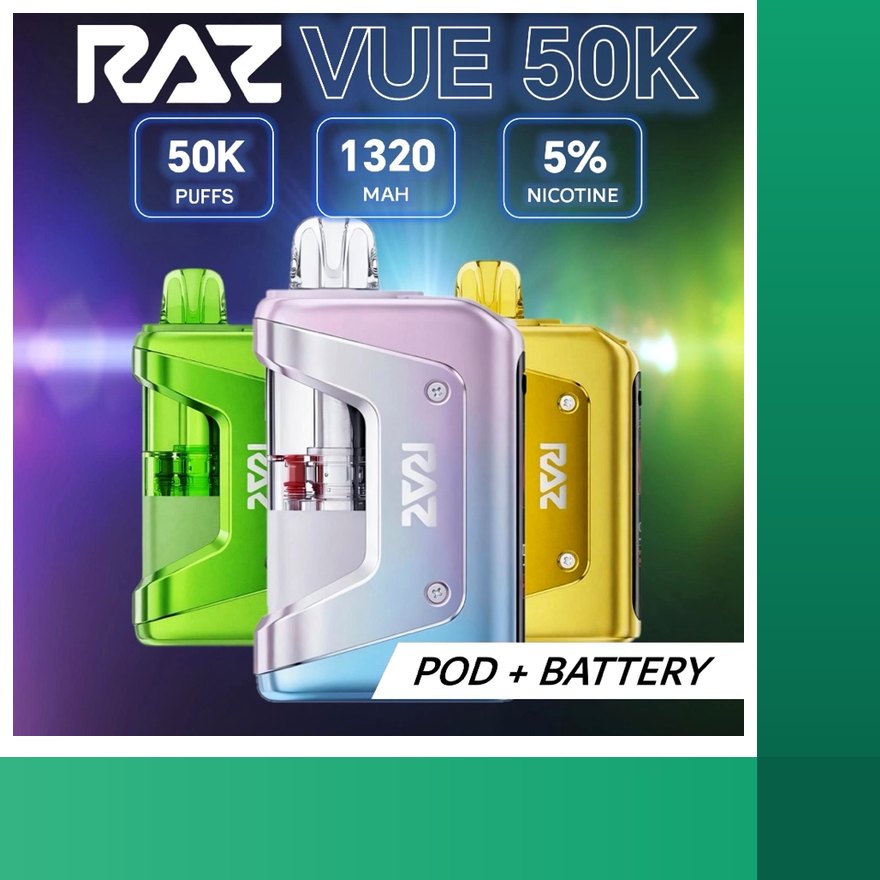
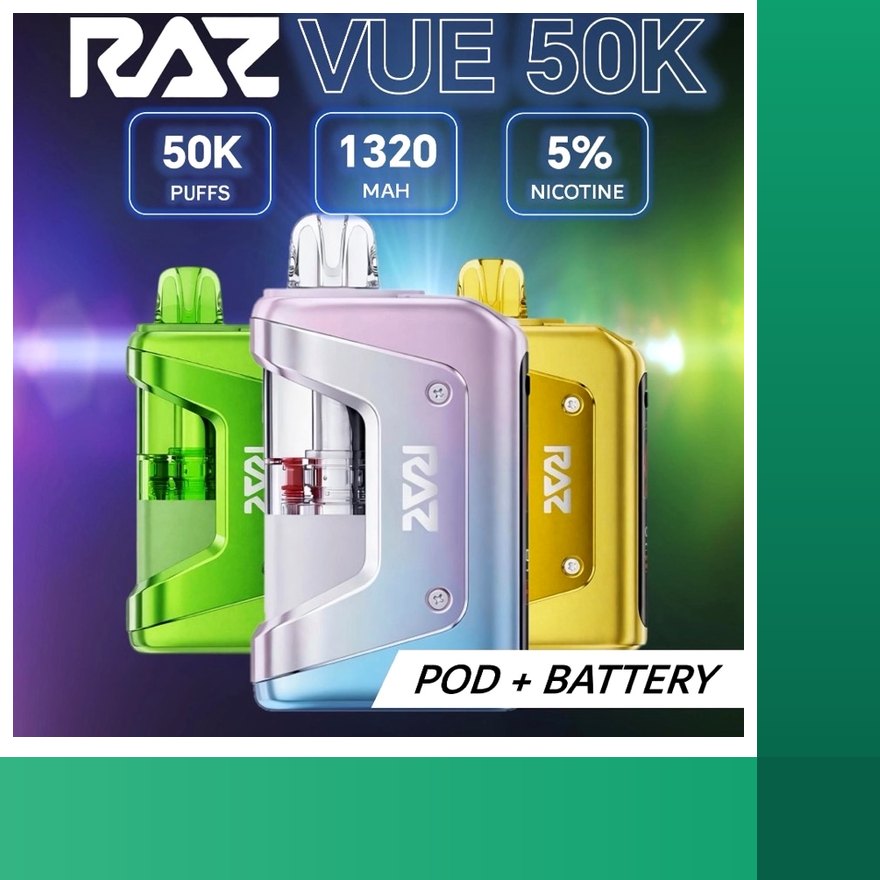
Searches for a RAZ vape pod charger, a RAZ VUE charger, a RAZ VUE 50K charger and a RAZ VUE pod charger all point at the same physical object: the VUE base. The RAZ VUE 50K is a two-part system. The base holds a rechargeable 900 mAh battery, the screen, and the two contacts that power the coil. The pod holds 13 mL of pre-filled liquid and the mouthpiece. It snaps onto the base with a magnet and it is keyed so it only seats one way.
So when someone asks how to charge RAZ vape pod, the honest answer is that you never charge the pod itself. You charge the base through its USB-C port, exactly like any other RAZ. Then you snap a pod on and the base runs it. When the pod's liquid readout hits zero, you pull it off, snap on a fresh pod from our RAZ VUE pods page, and the battery percentage carries over unchanged. The liquid readout resets for the new pod.
That design is why the VUE base is worth keeping track of. The pods are the consumable. The base is the part you own. It charges in roughly an hour (RAZ publishes no figure) from low, and it has no output port of any kind, which we come back to in the power bank section below. Anyone shopping for a RAZ VUE pod charger should be shopping for RAZ VUE 50K replacement pods; the base you already own does the powering.
What comes in the VUE kit
The kit contains one base and one pod. There is no spare pod, no wall brick and no cable in the box. If you are setting up a VUE for the first time, plug the base into a phone cable and a 5V block, let it charge, seat the pod until it clicks, and the screen registers the pod within a second. Half-used pods can sit upright in a drawer while you use another flavor, since the pod is sealed and has nothing electrical in it.
How to Charge a RAZ Vape Pod Without the Battery
This is the one question we have to answer with a flat no. You cannot charge a RAZ vape pod without the battery, because the pod has no port; its small 420 mAh cell is charged through the base. A VUE pod is a sealed 13 mL tank with a coil and two contacts on the bottom. Plugging a cable into it is not possible, there is no port, and holding it against a charger does nothing. The energy to heat the coil comes from the base, every time.
People type "how to charge raz vape pod without battery" for a few practical reasons, so here are the honest options for each one.
- You lost the base. The pod is fine and will work again, but only on a VUE base. RAZ does not sell the base separately. The way to get a replacement base is to buy a new RAZ VUE kit, which comes with a base and one pod. Your old pod snaps onto the new base.
- The base is dead. Before you decide that, put it on a known-good USB-C cable and a 5V block for 30 minutes and triple-press the button. If the screen still never lights after that, and the cable works on another device, the base has failed. If that happens on arrival, contact us within 3 days of delivery with your order number and a photo or video, and a verified fault is replaced in your next order under the return policy. Your pods still work on any VUE base.
- You want to use the pod on a different device. VUE pods fit the VUE base only. They do not attach to the TN9000, LTX 25K, RYL 35K or RX 50K, and they do not fit pod systems from other brands. The magnet and the keying are specific to the VUE base.
- You are trying to save a half-used pod. Nothing needs charging. Pull it off, stand it upright, and use it later. Liquid does not drain out of a sealed pod that is stored upright at room temperature.
Nobody likes hearing "buy a new kit," so it helps to know what the kit actually costs relative to a pod. The kit price is shown live on the VUE page, and the pod price is shown on the pods page, both pulled from our current inventory. The base is not a throwaway part. Once you have one, every future purchase is just pods.
Magnetic RAZ Charger: What the Magnet Actually Does
A lot of shoppers search for a RAZ magnetic charger or type "raz vape charger magnetic" expecting a wireless pad or a snap-on charging cable, the kind some smartwatches use. RAZ does not make one. On the VUE, the magnet holds the pod onto the base. That is its entire job. It keeps the pod's two contacts pressed against the base's two contacts so the coil gets power and the screen can read the pod.
The base charges the ordinary way, through a USB-C port. There is no magnetic charging dock sold by RAZ, no wireless charging on any model, and no magnetic cable in any box. If you see a listing for a magnetic RAZ pod charger as a standalone accessory, it is not a RAZ product and we cannot speak to what it does.
Understanding the magnet helps with one real troubleshooting case. If a VUE pod is seated but the screen does not register it within a second, the contacts are not meeting. Pull the pod off, look at the two metal contacts on the base, brush them with a dry soft brush, and reseat the pod until it clicks. Because the pod is keyed, it only goes on one way; if it feels like it is fighting you, rotate it. This is also why we tell VUE owners to clean the base contacts occasionally even when nothing is wrong. Pocket lint and dried liquid on the contacts is the usual reason a good pod on a charged base refuses to fire.
Replacement RAZ Charger Base or Power Bank
Two related searches land here: "raz vape pod charger replacement" and "raz vue power bank." They deserve separate answers.
Replacement base
RAZ does not sell the VUE base as a separate item, and neither do we. If your base is lost, cracked or no longer takes a charge, the replacement is a full VUE 50K kit, listed on our page for the new RAZ vape. You get a new base plus one pod, and every pod you already own still fits. That is the whole of what a RAZ vape charger base replacement looks like: a fresh kit. We keep the kit and the pods in stock in our US warehouse, and orders ship within 1 business day. Searches for RAZ refill pods near me usually come up empty because counters stock the kit at most, and often not that.
If your existing base still works, do not replace it. A base that is slow to wake from flat is normal. A base that charges fine but will not fire a pod usually just needs its contacts cleaned, as described in the magnet section above.
Do You Need a New RAZ Charger?
Almost never, and that is worth saying plainly because "new RAZ charger" is one of the most common searches that reaches this page. RAZ vape chargers are not a RAZ product. Every current model charges over plain USB-C, so a new charger for a RAZ vape means a new USB-C cable and, at most, a new 5V block. Both are generic parts you can buy anywhere, and we do not sell either, because it would be dishonest to price a commodity cable as an accessory.
Three situations do call for a replacement. A cable whose connector has gone loose or whose sleeve has frayed at the plug is the single most common cause of a RAZ that will not charge; swap it before you suspect the device. A block that only ever charged slow devices may be under-delivering; a basic 5V phone block fixes that. And a RAZ VUE charger base that no longer holds a charge is a device replacement rather than a cable one, which is the kit case described above. What none of those situations calls for is a charger for a RAZ vape pod, because there is no such part.
The "power bank" question
The VUE base looks a little like a small power bank, and the search "raz vue power bank" is common enough that we address it here. The base is not a power bank. It has a USB-C input for charging itself and no USB output. You cannot plug a phone into it. Its 900 mAh cell is sized to run VUE pods, and even if it had an output, 900 mAh would not move a phone battery meaningfully. Treat the base as a vape battery with a screen and nothing more. Anyone describing the VUE as a power bank is describing something it does not do.
Which RAZ should you pick if charging habits matter to you?
If you want the shortest time on the cable, the TN9000 fills from low in under an hour and is the lightest device in the line. If you want the biggest cell in a sealed RAZ, that is the RAZ purse vape (the RYL 35K) at 820 mAh, though it also collects the most port-lint reports because of how it is carried. The RAZ RX 50K and the RAZ LTX 25K both run 800 mAh, and both take roughly an hour (RAZ publishes no figure); the difference is that the RX has 19 mL to get through and the LTX has 20 mL, so neither one clears its tank on a single charge. And the VUE is the only RAZ where the battery is a part you keep across many pods, which changes the math entirely if you go through a lot of liquid. Charging is identical on the nicotine free RAZ vapes, since the 0% TN9000 and LTX use the same cells and ports.
Charging Problems: Quick Checks
Most "my RAZ charger is not working" reports are not charger problems. These checks cover the cable, the block and the port, which is where nearly all of them end.
- Nothing lights when plugged in. Swap the cable first. Cables fail far more often than devices. Then try a different 5V block or a computer port.
- Still dark after the swap. Leave it on the cable for 15 to 30 minutes. A deeply drained cell will not light the screen until it has taken on some charge.
- Charges very slowly or stops. Check the port for lint, especially on the RYL 35K. Try a different block.
- Gets hot while charging. Unplug it. Move it off any fast-charge brick and onto a plain 5V block.
If a known-good cable, a plain 5V block and a clean port still leave the screen dark after 30 minutes, the problem is the device rather than the charger, and the next steps are on our RAZ not working after charging page.
Battery Care for RAZ Devices
A disposable is not meant to last for years, but the battery inside it still responds to basic care, and better care means the cell keeps up with the liquid instead of dying first. This matters most on the high-count devices. A 25,000 or 50,000 puff tank will be charged many times before it is empty.
- Use a 5V block. The single most useful habit. Fast-charge bricks run the cell hot.
- Do not let it sit flat for days. Charge when the screen shows low rather than waiting for it to die. A cell that sits at zero for a long stretch wakes slowly and sometimes not at all.
- Keep it out of hot cars. Heat is the enemy of both the battery and the liquid. A device left on a dashboard can leak and its cell suffers.
- Store upright. This protects the coil from flooding and keeps liquid away from the port area.
- Keep the port clean. Especially on the RYL 35K, where bag carry packs lint into the seam port. A dry brush every week or two is enough.
- Unplug at full. Overnight charging is not necessary on any RAZ. Even the RX 50K is done in roughly an hour (RAZ publishes no figure).
- On the VUE, clean the base contacts. Two small metal points on the base do all the work. A dry brush keeps them making good contact with each pod.
Boost modes deserve a note. The LTX 25K's Boost and the RX 50K's Boost and Super Boost run the coil warmer, which is more work for the battery per puff as well as more liquid per puff. If you find yourself charging more often than you expected, check which mode the screen shows. Standard or Normal mode stretches both the battery and the tank.
Everything on this page applies to the devices we sell from our own tracked inventory. If you bought a RAZ elsewhere and want to confirm it is the real thing before you troubleshoot, the scratch-off code inside the box flap can be checked; our guide to RAZ authentication shows where the code is and what a first-time check should say. The advice on this page comes from our US warehouse team, who handle these devices every day; if a step does not match what you see, email RAZ customer service with your order number.
RAZ Charger FAQ
Does a RAZ vape come with a charger?
No. No RAZ device ships with a cable or a wall block. Every rechargeable RAZ uses a standard USB-C port, so the cable from a phone, tablet or headphones works. Pair it with a normal 5V USB block.
What type of charger does a RAZ vape use?
USB-C on every current model: TN9000, LTX 25K (DC25000), RYL Classic 35K, RX 50K and the VUE 50K base. Any standard USB-C cable and a plain 5V block is the right combination. Avoid fast-charge bricks, which run hot.
How long does a RAZ vape take to charge?
From low: the TN9000 charges in under an hour, the LTX 25K in roughly an hour (RAZ publishes no figure), the RYL 35K in roughly an hour (RAZ publishes no figure), the RX 50K in roughly an hour (RAZ publishes no figure) and the VUE 50K base in roughly an hour (RAZ publishes no figure).
How do I charge a RAZ VUE pod?
You do not charge the pod. The VUE pod is pre-filled liquid with a small 420 mAh cell and no port. The 900 mAh battery lives in the base, and the base is what you plug in over USB-C. Snap the pod on and the base powers it.
Can I charge a RAZ vape pod without the battery base?
No. There is nothing inside a VUE pod to charge. Without a working VUE base the pod cannot fire. If your base is lost or dead, the fix is a new VUE 50K kit, which includes a base and one pod.
Is there a magnetic RAZ charger?
Not as a separate product. The magnet on the VUE is what holds the pod onto the base. The base itself charges through a USB-C port like every other RAZ. RAZ does not sell a magnetic charging dock or wireless pad.
Can the RAZ VUE base be used as a power bank?
No. The VUE base has a USB-C input for charging itself and no USB output. It cannot charge a phone or any other device. It is a vape battery, not a power bank.
My RAZ will not show anything when plugged in. Is the charger bad?
Swap the cable first, then try a different 5V block. A deeply drained cell may need 15 to 30 minutes on the cable before the screen wakes up. If a known-good cable and block still show nothing after 30 minutes, contact us with your order number.
Most Requested at RAZ Vape Bar
- RAZ no nicotine vape: every factory 0% RAZ SKU with live stock, same hardware and flavors as the 5% units.
- RAZ at gas stations: what counters actually carry, and why most people order here instead. Ships within 1 business day.
- the new RAZ vape: keep the 900 mAh base, swap the 13 mL pod.
- RAZ refillable pods: pre-filled 50,000 puff pods for the VUE base, sold singly.