RAZ Vape Not Working? Fixes That Actually Work
Before anything else: check the liquid readout (zero means it is finished), put it on a different USB-C cable and a 5V block for 30 minutes, triple-press the button on screened models, and on the TN9000 open the airflow slider. Those four steps resolve most RAZ vape not working reports. The sections below take each symptom in turn.
The 60-Second Checklist
Run these in order. Most people find their fix in the first three.
- Read the liquid indicator. On every screened RAZ the display shows e-liquid level. If it reads zero, the tank is done. It cannot be refilled and no amount of charging will make it fire.
- Swap the cable and block. Use a different USB-C cable and a plain 5V block, then leave it for 30 minutes. Cables fail more often than devices do.
- Triple-press to power-cycle. On the LTX 25K, RX 50K and VUE base, a rapid triple-press turns the device off and on. Do it once and try a draw.
- Check the airflow slider on the TN9000. A closed slider blocks the draw sensor.
- Check the mode indicator on the LTX and RX. A stray press can change the mode, which changes how the device behaves.
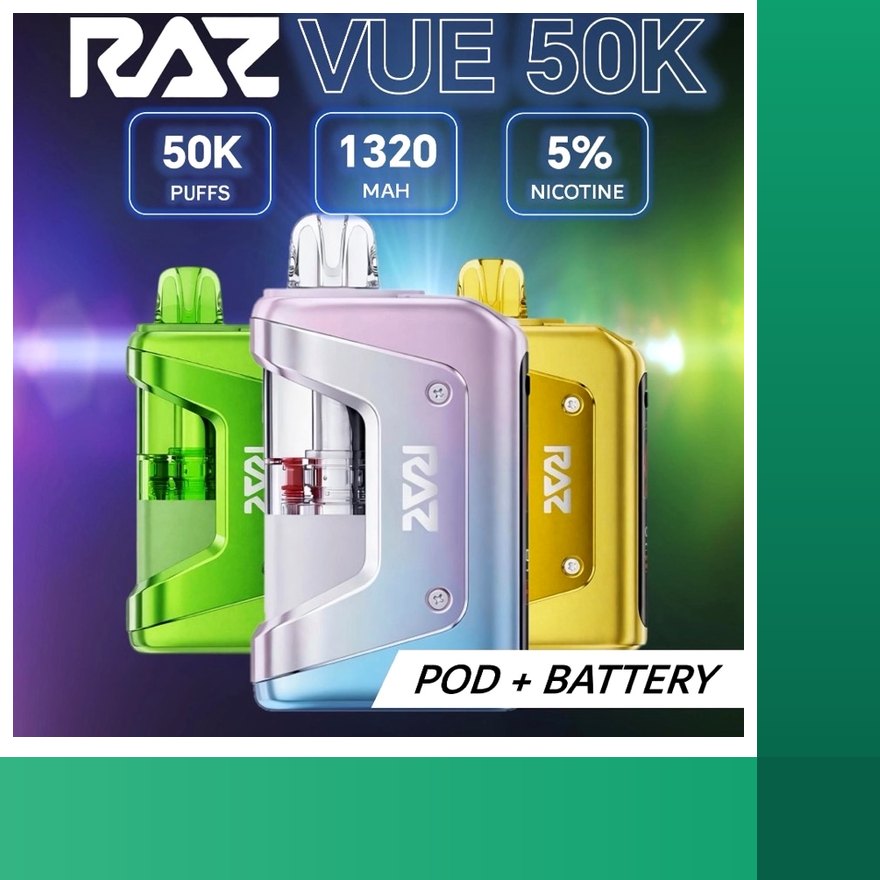
- Reseat the pod on the VUE until it clicks, and brush the two base contacts.
- Peel stickers on a brand new unit, from the mouthpiece and the airflow.
If none of that works, keep reading. Each symptom below has its own likely cause and fix, and the last section tells you exactly what to send us so we can sort it in one email. If you are new to the device and want to confirm you are operating it correctly, the RAZ vape instructions page covers normal use model by model.
RAZ Vape Not Hitting
A RAZ not hitting, meaning you draw and get no vapor, has four common causes, and they are easy to tell apart with the screen.
Battery drained. If the screen is dark or the battery readout is at the bottom, charge for 30 minutes on a known-good cable. A very drained cell can take 15 to 30 minutes on the cable before the screen lights, so do not judge it in the first five minutes.
Liquid finished. If the battery readout looks fine but the liquid readout is at zero, the device is done. This is the most common "not hitting" cause on high-count devices where the battery outlasts the tank. RAZ tanks are sealed; there is no refill. On the LTX 25K and RX 50K, Boost modes reach this point well before the rated puff count.
Airflow slider closed (TN9000). The RAZ 9000 has a slider on the base. If it has been pushed fully closed in a pocket, the draw cannot pull enough air to trigger the sensor. Slide it open and try again.
Pod not seated (VUE). On the RAZ VUE 50K, the pod must click onto the base with its contacts meeting the base contacts. If it is a little off, the base does not register it and nothing fires. Pull it off, brush the contacts, and reseat until it clicks. The pod is keyed and only goes on one way.
If the battery shows charge, the liquid shows above zero, the airflow is open and the pod is seated, and it still will not hit, triple-press to power-cycle. If that fails too, it is a fault. Skip to the support section.
RAZ Vape Blinking
A RAZ vape blinking, or a screen that flashes when you draw, is almost always a low battery signal. The device is telling you it does not have enough charge to fire the coil properly. The fix is boring: plug it into a USB-C cable and a 5V block and leave it for 30 minutes. Do not spend time on anything else until you have done that, because a low cell mimics several other faults.
If the blinking continues with the battery readout showing a healthy level, look at the liquid readout. A device at zero liquid can flash on a draw because there is nothing for the coil to vaporize. That is not a battery problem and charging will not change it.
If you have a full battery, liquid remaining and it still blinks on every draw, power-cycle screened models with a rapid triple-press. If it persists after that, contact support with a short video of the blinking and your order number. Blinking with a full battery and liquid remaining is not normal behavior and we treat it as a fault under the return policy.
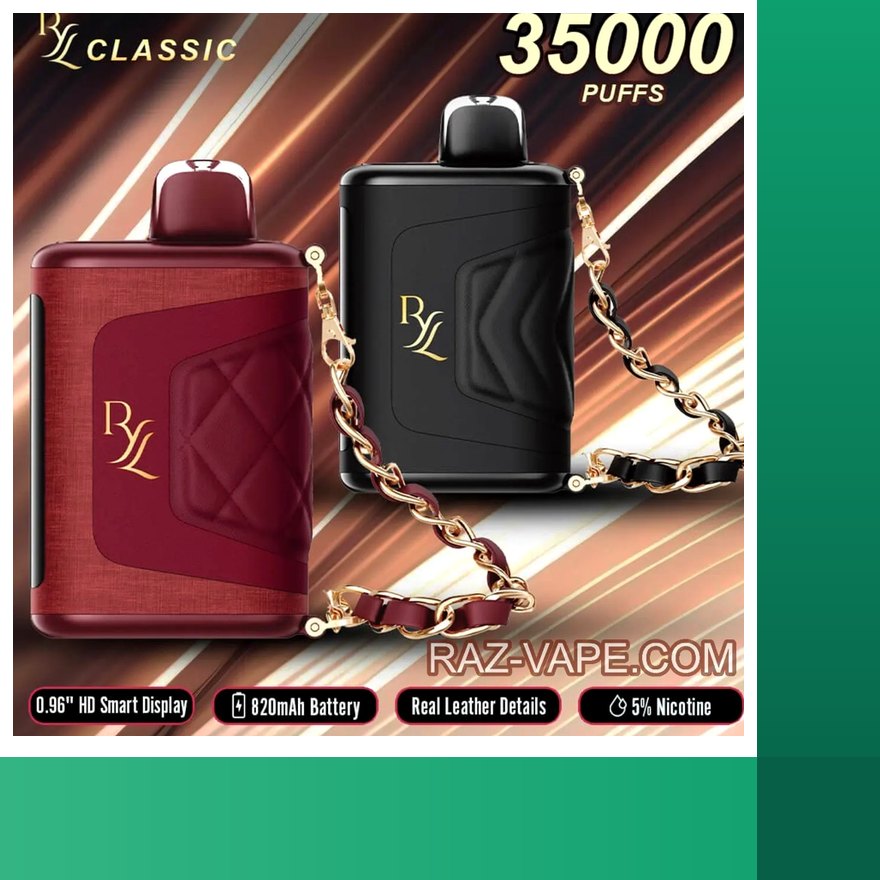
One thing to rule out on the RYL 35K: lint in the seam port can cause a device to charge poorly, so it blinks low even after time on the cable. Clear the port with a wooden toothpick or dry brush and charge again. Never use metal in the port.
Why Is My RAZ Vape Not Working After Charging?
"Why is my RAZ vape not working after charging" is the single most common question we get, and the answer depends on what "after charging" actually means. Work through these in order.
- Did it actually charge? Plugging in is not charging. If the screen never showed a charging percentage, the cable or block may be dead. Try another cable and a plain 5V block. Fast-charge bricks are not a good match and some will not charge a small cell properly.
- Was it deeply drained? A cell that sat at zero needs 15 to 30 minutes on the cable before it shows any sign of life. If you plugged in for five minutes and gave up, that is the problem.
- Power-cycle it. On the LTX 25K, RX 50K and VUE base, a rapid triple-press toggles the device off and on. Screened devices occasionally need this after a full charge to wake properly.
- Read the liquid indicator. A fully charged RAZ with zero liquid will not fire, and it will not, because there is nothing left to vaporize. This is a finished device, not a broken one.
- Check the port. On the RYL 35K especially, lint in the seam port stops the cable seating fully, so the device charges partially or not at all. Clear it and recharge.
If the screen shows a full battery, liquid above zero, and a power-cycle does not bring it back, the device has a fault and you should contact us. Our charging page has the charge time for every model, from the TN9000 to the RAZ VUE 50K charger base, so you know how long a full charge should actually take; if yours is claiming full after ten minutes, something is off with the cable or the cell.
RAZ Vape Not Working Brand New
A RAZ vape not working brand new is frustrating but usually easy. Do these in order before you decide it is defective.
- Pull any sticker over the airflow or the mouthpiece. A sticker over the airflow means the draw sensor never sees air movement.
- Take three firm draws. A new coil sometimes needs a couple of proper pulls to prime. Gentle sips may not trigger the sensor.
- Charge for 20 minutes. Devices do not ship at full charge, and one that sat in transit may be low enough that it will not fire until it has taken on some charge.
- Check the mode indicator on the LTX 25K and RX 50K. The screen should show a mode. If it shows nothing at all, move to the next step.
- Triple-press the button on screened models with a button in case it was powered off in the box.
- On the VUE, seat the pod. A brand new kit needs the pod clicked onto the base before it will do anything. The screen registers it within a second.
If the screen never lights after 20 minutes on a known-good cable, and the draws produce nothing, contact support with your order number and a short video of the device on the cable. Report a dead-on-arrival device within 3 days of delivery; once verified, a free replacement is added to your next order under the return policy.
While you have the box out, check the scratch-off code inside the flap. A first-time check on the manufacturer's verification page should show valid. If the code fails or shows already queried on a unit you have never checked, photograph the box, the code and the device and include that in your email. Our guide on how to spot a fake RAZ explains what packaging should look like. We ship from tracked warehouse inventory, so a code problem on a device from us is something we want to know about immediately.
RAZ Vape Won't Charge
When a RAZ vape won't charge, the device is rarely the first suspect. Go through the chain from the wall to the port.
The block. Use a plain 5V USB block or a computer port. Fast-charge bricks run hot and some negotiate voltages a small vape cell does not want. Move off the brick.
The cable. Swap it. This fixes more "won't charge" reports than every other step combined. Any standard USB-C cable works; you do not need a special one.
The port. Look inside with a light. Lint, pocket debris and dried liquid can all stop the connector seating. The RYL 35K's seam port is the worst offender because of bag carry. Clear it with a wooden toothpick or a dry soft brush, never metal.
The cell. A deeply drained battery does not light the screen the moment you plug in. Give it 15 to 30 minutes on a good cable before you decide it is dead. If the screen wakes and shows a charging percentage, you are fine.
The VUE case. Remember that only the base is plugged in. The pod has a small 420 mAh cell but no port. If you are trying to charge a pod, there is nothing to charge; snap it onto a charged base. If you are trying to charge the base and it never wakes after 30 minutes on a good cable, that is a base fault, and the replacement route is a new kit, since the base is not sold on its own. The RAZ VUE pods you already own will work on the new base.
If a known-good cable and block, a clean port and 30 minutes of waiting all fail, the device will not charge. If it arrived that way, it is a dead-on-arrival claim; report it within 3 days of delivery. Send support the order number and a short video of the device on the cable with a dark screen.
RAZ Vape Burnt Taste
A RAZ vape burnt taste has two causes and they are both about liquid reaching the coil.
The tank is nearly finished. As liquid runs low the wick struggles to stay saturated and the coil starts to scorch it. Check the liquid readout. If it is near the bottom, the burnt taste is the device telling you it is close to done. On the RAZ LTX 25K and RAZ RX 50K, Boost modes push more liquid per puff, so the tank reaches this stage sooner than the rated count suggests, and the last stretch tends to taste worse in Boost. Switching back to Standard or Normal for the end of the tank helps.
Long chain draws. Taking many long draws back to back heats the coil faster than the wick can pull fresh liquid in. The result is a dry hit even with plenty of liquid left. Let the device sit for a minute between draws and keep individual draws moderate. This is more noticeable in Boost modes, where the coil runs warmer to begin with.
A burnt taste on a brand new device with a full tank is unusual. Take three firm draws to prime it, then a few normal ones. If it still tastes burnt after that, and the device is one of ours, contact support with your order number.
RAZ Vape Leaking
A RAZ vape leaking from the mouthpiece or the airflow is almost always down to heat or orientation.
Heat exposure. A hot car is the number one cause. Heat thins the liquid and expands the air in the tank, pushing liquid past the coil and out through the airflow path. Never leave a RAZ on a dashboard, in a glovebox in summer, or in direct sun. If it has already happened, wipe the mouthpiece and airflow, stand it upright at room temperature, and it usually settles.
Storing face down. Leaving a device mouthpiece-down or on its side for hours lets liquid pool where it should not. Keep it upright. The RAZ purse vape has a strap loop for exactly this reason: hang it rather than dropping it to the bottom of a bag.
On the VUE, a pod stored upright and sealed does not leak. If you are swapping pods, stand the half-used one upright in a drawer. Do not lay it on its side. And when you seat a pod, wipe the base contacts if they are wet; liquid on the contacts is a sign the pod was stored badly, not a sign the pod is faulty.
Persistent leaking from a device kept upright and cool is a fault. Photograph it, note the order number and email support.
VUE Pod Not Registering
The VUE has one fault the other RAZ devices cannot have: the base is charged, the pod has liquid, and the screen does not recognize the pod. This is a contact problem in almost every case. It comes with being the new RAZ vape with swappable pods: two parts means one more connection to check.
- Seat it until it clicks. The pod is keyed and magnetic. Push it on firmly. If it resists, rotate it; it only fits one way.
- Clean the base contacts. Two small metal points on the base carry power to the pod. Lint, pocket debris or dried liquid on them breaks the connection. A dry soft brush clears them. Clean the matching contacts on the bottom of the pod too.
- Try another pod. If a second pod registers immediately, the first pod's contacts are the issue. If no pod registers, the base is the issue.
- Power-cycle the base. Rapid triple-press the base button and reseat the pod.
- Confirm it is a VUE pod. Only VUE pods fit the VUE base. Pods from any other system will not seat or register.
The screen should pick up a pod within a second of it clicking on, and the liquid readout resets for the new pod while the battery percentage carries over. If a base will not register any pod after a contact clean and a power-cycle, that is a base fault. Contact support. Since the base is not sold on its own, the practical replacement is a new RAZ VUE kit, which comes with a base and one pod; every pod you already have will work on it. Spare RAZ pods are sold singly, so keeping one on hand also gives you a test pod for this exact check.
When It Is Simply Empty
A large share of RAZ vape not working reports are devices that have reached the end of their liquid. That is not a fault and it is worth being clear about how to tell. The same steps apply to a RAZ 0 nicotine device; the 0% TN9000 and LTX use identical hardware.
Every screened RAZ shows a liquid readout. When it reaches zero, the device is finished. The battery may still show plenty of charge, the light may still come on, and the device may even blink when you draw, but there is nothing left in the tank to vaporize. RAZ tanks are sealed. There is no refill port, no way to open them, and no way to top them up. The correct next step is a new device, or on the VUE, a new pod on your existing base. RAZ vape pods are sold singly, so replacing one does not mean buying a set.
How fast you get there depends on the model and the mode. The rated counts are 9,000 for the TN9000, 25,000 for the LTX in Standard, 35,000 for the RYL, 50,000 for the RX in Normal and 50,000 per VUE pod. Boost on the LTX uses roughly a third more liquid per puff. Boost on the RX cuts the count to about half and Super Boost to about 40 percent. If your LTX or RX seems to be running out early, the mode indicator on the screen is the first thing to check.
If you liked the flavor, the same flavor is usually easy to find again. Our full RAZ flavors list is organized by device and shows what is in stock right now, and if you are not sure which device to move to next, every RAZ disposable we carry is on the home page with live inventory. If the nearest counter is a station, our RAZ vape near me gas station note explains why it probably only has the 9K.
When to Contact Support
You have worked through the checklist and the device is still not right. Here is when to stop troubleshooting and email us, and what to include so we can resolve it in one reply.
Contact us if
- The screen has never lit after 30 minutes on a known-good USB-C cable and a 5V block.
- The battery readout shows charge and the liquid readout is above zero, but the device will not fire after a triple-press.
- It blinks on every draw with a full battery and liquid remaining.
- A brand new device does nothing after the sticker check, three firm draws and 20 minutes of charging.
- A VUE base will not register any pod after a contact clean and a power-cycle.
- It leaks while kept upright at room temperature.
- It fires without a draw. Auto-firing is not a known RAZ pattern. Stop using it immediately and contact us.
- The scratch-off code fails or shows already queried on a unit you have never checked.
What to send
- Your order number. It lets us pull the exact SKU and shipment.
- A short video. Ten to twenty seconds is enough: the device on the cable with a dark screen, the blink on a draw, the pod seated and unrecognized, whatever the symptom is. Video settles most cases faster than a written description.
- For code issues, photos of the box, the scratched code and the device.
- What you already tried, in one line. "Swapped cable, 30 minutes on 5V block, triple-pressed, liquid reads half" tells us everything.
Email support@razvapebar.com or use the contact us page. Sales are final, but a device that arrives damaged or dead is covered by the Return Policy: report it within 3 days of delivery with a photo or video, and once the fault is confirmed a replacement goes into your next order. If you bought your RAZ somewhere else, we still hope this page helped, but the return would go through the retailer you bought from. Our where to buy RAZ vapes guide explains what to check at a counter before paying. This checklist is written by our US warehouse team from the tickets we actually receive, and the shorter version of the most frequent ones lives in our list of common RAZ questions.
RAZ Troubleshooting FAQ
Why is my RAZ vape not working after charging?
Three usual causes: the cable or block is bad (swap both), the cell was so drained it needs 15 to 30 minutes on the cable before it wakes, or the liquid readout is at zero and the tank is simply finished. Triple-press screened models to power-cycle them and check the liquid indicator before assuming a fault.
Why is my RAZ vape blinking?
Low battery is by far the most common reason a RAZ blinks or the screen flashes. Put it on a USB-C cable and a 5V block for 30 minutes before you treat it as broken. If it still blinks on a full battery with liquid remaining, contact support.
Why is my brand new RAZ vape not working?
Check for a sticker over the mouthpiece or airflow, take three firm draws, charge it for 20 minutes, and look at the mode indicator on models that have one. If the screen never lights after that, email support with your order number and a short video.
My RAZ is not hitting but the light comes on. What is wrong?
Look at the liquid readout first; an empty tank will not fire. On the TN9000 check that the airflow slider is not fully closed. On the VUE make sure the pod is clicked in and the base contacts are clean. If the battery is low, charge for 30 minutes.
Can I refill a RAZ vape when it stops hitting?
No. RAZ tanks and VUE pods are sealed and cannot be refilled. When the liquid indicator reaches zero the device or pod is finished. On the VUE you keep the base and snap on a new pod.
Why does my RAZ taste burnt?
The liquid is nearly finished, or you have been taking long chain draws that heat the coil faster than it can rewick. On the LTX 25K and RX 50K, Boost and Super Boost reach the end of the tank sooner. Check the liquid readout and let the device rest between draws.
Why is my RAZ vape leaking?
Heat exposure, most often a hot car, or storage face down. Wipe the mouthpiece, stand the device upright at room temperature, and it usually settles. Keep it upright from then on.
What should I send support if my RAZ is faulty?
Your order number and a short video showing the problem, for example the device on a working cable with a dark screen. That lets us confirm the fault in one message; report it within 3 days of delivery and a verified fault is replaced in your next order under the return policy. Email support@razvapebar.com.
Most Requested at RAZ Vape Bar
- RAZ zero nicotine flavors: every factory 0% RAZ SKU with live stock, same hardware and flavors as the 5% units.
- RAZ vape near me: what counters actually carry, and why most people order here instead. Ships within 1 business day.
- new RAZ vape with swappable pods: keep the 900 mAh base, swap the 13 mL pod.
- RAZ vape pods: pre-filled 50,000 puff pods for the VUE base, sold singly.